
Pest control Google Ads campaign setup starts with choosing the services you want to advertise, identifying local customers ready to hire, and organising your campaigns around their searches. Start with Google Search Ads, create relevant ad groups for services such as termite inspections and rodent removal, and use negative keywords to reduce unwanted clicks. Target only the areas your technicians serve, write clear ads, and connect each service to a relevant landing page. Set up call and form tracking before launching, then measure qualified inquiries and booked treatments. This guide walks through a practical campaign example, from planning to the first 30 days of optimisation.
Before You Open Google Ads, Decide Which Jobs You Want
Imagine you run a small pest control company in Dallas, Texas.
Your team handles general pest treatments, rodent removal, and termite inspections.
You have two technicians, work Monday to Saturday, and serve Dallas and selected nearby suburbs.
You don’t provide wildlife removal or bee relocation.
Your goal is to get more inspection requests and pest treatment bookings.
This is the information you need before creating your first campaign.
Without it, you might advertise services your team cannot provide or receive calls from customers outside your coverage area.
Create a Simple Campaign Brief
| Business Detail | Example |
| Main services | General pest control, rodents, termite inspections |
| Service area | Dallas and selected nearby suburbs |
| Business hours | Monday–Saturday, 8 a.m.–6 p.m. |
| Priority service | Termite inspections |
| Unavailable services | Wildlife removal, bee relocation |
| Main conversion goals | Qualified calls and inspection bookings |
| Starting test budget | $1,500 per month |
This is a fictional business example. The budget is illustrative, not a recommended amount for every pest control company.
It gives us a clear starting point for building the account.
One important decision comes next: which services should share a campaign, and which need their own budget?
Build Your Pest Control Campaign Structure Around Services
A common mistake is putting every pest control keyword into one ad group.
Someone searching for termite inspections has different needs from someone looking for cockroach treatment.
They shouldn’t automatically see the same ad or land on the same page.
Google Ads allows you to organise campaigns into smaller ad groups based on related search themes.
For our example business, the account could look like this:
Example Google Ads Account Structure
| Campaign | Ad Group | Main Search Intent |
| General Pest Control – Dallas | General Pest Control | Hire a local exterminator |
| General Pest Control – Dallas | Cockroach Treatment | Book cockroach treatment |
| General Pest Control – Dallas | Rodent Removal | Find rat or mouse removal services |
| Termite Inspections – Dallas | Termite Inspection | Request a termite inspection |
The termite campaign has its own budget because it is a priority service.
The other services initially share one campaign budget.
This is not the only possible structure.
A business with limited spending may start with one Search campaign and a few closely related ad groups.
A larger company may separate campaigns by service value, region, or operational needs.
Create separate campaigns when you need different budgets, targeting, schedules, or bidding priorities – not simply because you offer another pest treatment.
What About Commercial Pest Control?
If your company also services offices, restaurants, and warehouses, consider a separate commercial campaign.
Commercial customers may search for service contracts, scheduled inspections, or ongoing pest management.
Those searches have different requirements from a homeowner needing a one-time treatment.
However, our example business only provides residential services, so we will leave commercial pest control out of this campaign.
Choose Keywords That Show Someone Wants to Hire
Now that the campaign structure is clear, we can select keywords.
This is where many pest control campaigns waste money.
Not everyone searching for pest information wants to hire an exterminator.
Compare these searches:
“What do termites eat?”
“How to get rid of termites naturally?”
“Termite inspection company near me”
The first two searches are mainly informational.
The third suggests the person may be looking for a professional service.
Google Ads can match advertisements to related searches, so the keywords and match types you choose matter.
Pest Control Keyword Examples
| Service | Example Keyword | Suggested Initial Match Type |
| General pest control | “pest control company near me” | Phrase |
| General pest control | [exterminator near me] | Exact |
| Rodent removal | “rat removal service” | Phrase |
| Rodent removal | [mouse exterminator dallas] | Exact |
| Cockroach treatment | “cockroach exterminator” | Phrase |
| Termite inspections | [termite inspection dallas] | Exact |
| Termite inspections | “termite inspection company” | Phrase |
These are example keyword candidates, not verified high-volume search terms.
Use Google Keyword Planner to check relevant search demand and estimated bid ranges in your target locations.
Exact Match vs Phrase Match
Exact match gives you more control over the search intent your keywords can match.
However, it does not mean your advertisement will only appear when someone types the same words.
Google can match searches with the same meaning or intent.
Phrase match provides broader coverage of searches that share the keyword’s meaning.
For a new campaign with a limited budget, a small, relevant selection of exact and phrase match keywords can be a useful starting point.
Broad match may help discover additional searches later, especially when reliable conversion tracking and suitable bidding controls are in place.
Don’t add broad keywords simply to increase traffic.
Your goal is to reach people looking for pest control services, not everyone searching for information about insects or rodents.

Use Negative Keywords to Filter Out Unwanted Searches
Let’s return to our Dallas pest control company.
Your campaign targets people who need professional pest treatment.
But someone might search for:
“pest control jobs in Dallas”
“how to become a pest control technician”
“best rat traps for home”
Those searches are unlikely to generate the kind of customer inquiry you want.
Negative keywords help exclude unsuitable searches.
Example Negative Keyword Research
| Search Theme | Possible Negative Keywords | Reason |
| Employment | jobs, salary, careers | Job seekers |
| Training | course, certification, training | People seeking qualifications |
| DIY treatment | homemade, DIY, home remedy | People looking for instructions |
| Product shopping | traps, spray, products | People buying pest control products |
| Pest identification | pictures, images | People researching pest identification |
| Unsupported services | wildlife removal | Services your company doesn’t offer |
Do not copy every keyword from this table without reviewing it.
For example, a company selling pest control products should not automatically exclude product-related searches.
Also, avoid blocking words such as cost, price, or quote without checking the full search intent.
Someone searching for “termite inspection cost near me” may still be ready to hire.
Negative keywords have their own matching rules and do not automatically exclude every related variation.
What Should You Do After Launch?
Check the Search Terms report regularly.
Look for actual searches that triggered your advertisements.
Identify which searches brought relevant inquiries and which wasted money.
Add negative keywords based on the evidence.
This is more useful than building a huge negative keyword list without understanding your customers.
Set Your Location Targeting Carefully
Pest control companies usually work within a defined service area.
A customer 60 miles away may not be worth advertising to if your technicians cannot reach that property.
Google Ads allows you to target supported cities, postal areas, and geographic radii.
For our Dallas example, we might target Dallas, Richardson, Plano, and other areas the company genuinely covers.
Then we would exclude locations outside the service area where appropriate.
Check the Advanced Location Settings
Google Ads offers different ways to target people based on their location or interest in a location.
For a pest control company serving local properties, the Presence setting may be more suitable than the broader option that also includes people showing interest in the area.
Presence focuses on people likely to be in or regularly in your selected locations.
However, location targeting is not perfectly precise. Continue checking where inquiries originate.
What About Ad Scheduling?
Our example business operates from 8 a.m. to 6 p.m.
If the company cannot answer calls outside those hours, it needs to decide how after-hours inquiries will be handled.
Possible options include running call-focused ads during staffed hours or keeping an inquiry form available when the office is closed.
Don’t promise emergency service or immediate availability unless the business can deliver it.
Also review Search Network settings and whether optional network placements fit your campaign goals.
For a tightly controlled first test, it can be easier to assess standard Search traffic before adding more inventory.
Write Ads That Match the Pest Problem
Google Search Ads should make it clear which service you provide.
Avoid using the same generic advertisement for every pest.
Someone searching for termite inspections should see information about termite inspections.
Example: Termite Inspection Advertisement
Headline 1: Termite Inspections Dallas
Headline 2: Talk to a Local Pest Team
Headline 3: Request a Termite Visit
Description:
Concerned about termites? Ask about inspection options in Dallas and nearby areas.
This advertisement does three things:
It identifies the service, mentions the location, and offers a next step.
It doesn’t promise guaranteed results, invent a discount, or claim same-day availability.
Use Responsive Search Ads
Responsive search ads allow you to provide multiple headlines and descriptions.
Google tests different combinations to show relevant messages.
Individual headline fields can contain up to 30 characters, while description fields can contain up to 90 characters.
Include several distinct, accurate messages instead of repeating the same words.
You can also add relevant assets, such as:
- Call assets: Help customers contact your business.
- Sitelinks: Direct visitors to relevant service pages.
- Callouts: Highlight genuine service features.
- Location assets: Show suitable business location information when applicable.
Important 2026 update: Google discontinued the creation of new call-only ads in February 2026. New phone-focused Search advertising should use responsive search ads with call assets.
Only mention licensing, certifications, treatment guarantees, or health-related claims when they are accurate and permitted.
Pest control businesses must also follow applicable local licensing and advertising requirements.

Send Every Advertisement to the Right Landing Page
Imagine someone searches for rodent removal.
They click your advertisement and arrive on a homepage covering termites, cockroaches, mosquitoes, and general pest control.
The visitor must now search for the service they originally wanted.
A more relevant destination would be a dedicated rodent removal page.
The same principle applies to termite inspections.
Example: Termite Inspection Landing Page
A useful page could include:
| Page Element | What It Should Explain |
| Main heading | Termite inspection service in Dallas |
| Service overview | What the inspection generally involves |
| Service area | Locations the company covers |
| Trust signals | Genuine reviews, credentials, or project evidence |
| Contact option | Request an inspection or speak to the team |
| Quote form | Contact details, property location, preferred timing |
The page should work properly on mobile phones.
Make the contact button easy to find, and avoid unnecessary form fields.
Customers should understand what happens after submitting a request.
A dedicated landing page does not need to be complicated.
It needs to answer the customer’s questions and make the next step clear.
Set Up Conversion Tracking Before Launching
Clicks alone will not tell you whether the campaign is successful.
You need to understand how many people contact your company and what happens after the inquiry.
For pest control businesses, useful conversions may include phone calls, completed quote forms, and inspection requests.
Understand the Difference Between Calls and Bookings
| Action | What It Means |
| Ad click | Someone clicked your advertisement |
| Phone-number click | Someone tapped a phone link |
| Connected call | A phone conversation took place |
| Form submission | A customer sent an inquiry |
| Qualified lead | The request matches your services and area |
| Booked treatment | The customer confirmed a service appointment |
A phone-number click is not automatically a completed call.
Similarly, a completed form does not mean the customer booked a treatment.
Set up the appropriate Google Ads conversion actions and test them.
Where supported, call reporting and website call conversion tracking can help measure customer calls.
A CRM can record which inquiries become qualified leads, inspections, and booked jobs.
For businesses already receiving paid clicks but struggling to generate phone inquiries, PPC Leap’s Google Ads Not Getting Calls checklist covers call tracking, search terms, landing pages, and missed-call problems in more detail.
Which Conversions Should Guide Your Bidding?
Avoid treating every website interaction as equally valuable.
A completed inspection booking may be more useful than a simple phone-button click.
Google Ads supports conversion-based bidding, including Maximise Conversions.
It can also use imported qualified-lead or converted-lead information when properly configured.
Choose conversion goals that match meaningful business outcomes.
Make sure tracking works before relying on conversion data to optimise your campaign.
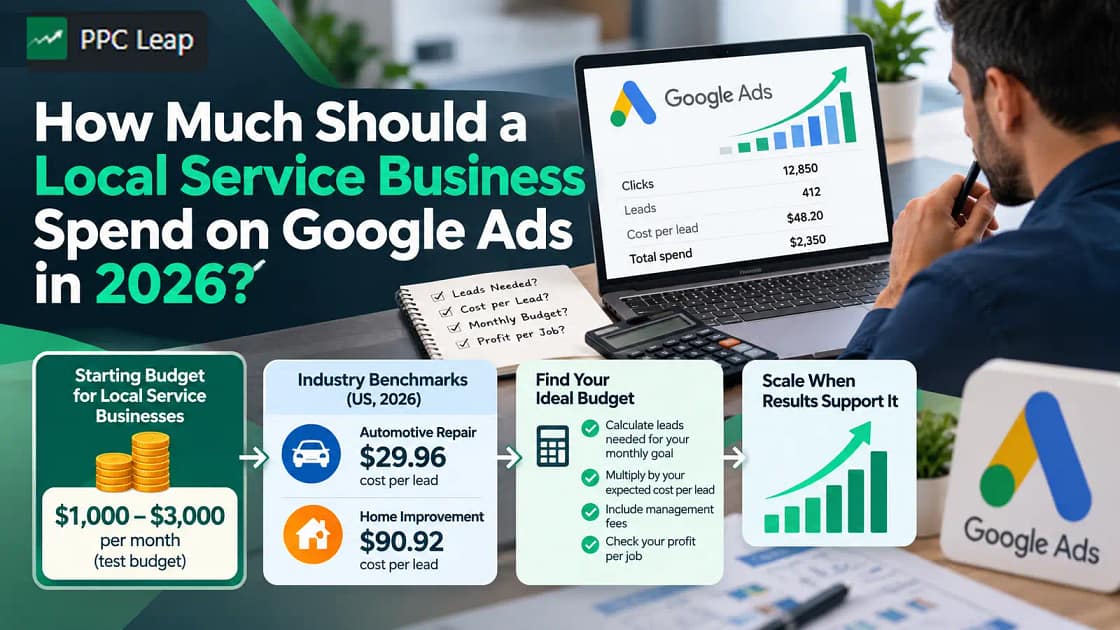
How Much Should You Budget for Your First Campaign?
There is no single Google Ads budget that works for every pest control company.
Your actual costs depend on location, competition, services, keyword demand, and the number of customers you want.
A termite inspection campaign may have different economics from a general pest treatment campaign.
Before choosing a budget, use Keyword Planner to review estimated costs in your market.
Then calculate how many inquiries and bookings your business needs.
Example: A $1,500 Monthly Test Budget
Let’s use an illustrative campaign model.
| Metric | Example |
| Monthly ad budget | $1,500 |
| Assumed average CPC | $7.50 |
| Estimated clicks | 200 |
| Assumed inquiry conversion rate | 10% |
| Estimated inquiries | 20 |
| Assumed inquiry-to-booking rate | 40% |
| Estimated bookings | 8 |
| Cost per inquiry | $75 |
| Cost per booked job | $187.50 |
The calculations are straightforward.
Clicks: $1,500 ÷ $7.50 = 200
Inquiries: 200 × 10% = 20
Bookings: 20 × 40% = 8
Cost per booked job: $1,500 ÷ 8 = $187.50
These are hypothetical figures, not pest control industry benchmarks or guaranteed campaign results.
The example helps explain why cost per click should not be your main performance target.
A company could get inexpensive clicks but very few bookings.
Another campaign might have higher click costs yet attract more valuable customers.
Check the Value of Each Service
A one-time general pest treatment and a recurring pest management contract may have different values.
Consider direct service costs, staff time, travel, and expected contribution from each booked job.
If your advertising cost is higher than the value you can reasonably recover, the campaign needs attention.
For a broader budgeting framework, read PPC Leap’s guide on how much to spend on Google Ads.
It explains how local service businesses can connect advertising budgets with expected lead costs and booking goals.

Your First 30 Days – What Should You Actually Check?
Launching the campaign is only the beginning.
You need enough data to understand what is happening before making major decisions.
Instead of changing keywords and budgets every day, follow a consistent review process.
Week 1: Check Whether Everything Works
Confirm that your advertisements are approved and eligible to run.
Check location targeting, phone numbers, landing pages, form delivery, and conversion tracking.
Make sure your team knows how to handle incoming inquiries.
Correct broken tracking or contact systems immediately.
Week 2: Review Search Terms
Check which searches triggered your advertisements.
Identify irrelevant inquiries and add appropriate negative keywords.
Review whether the campaign is attracting requests for services you actually offer.
Avoid removing relevant keywords based on a small number of clicks alone.
Week 3: Review Lead Quality
Compare Google Ads reports with customer inquiries recorded by your team.
Which calls were genuine?
Which customers requested inspections?
How many inquiries came from outside your service area?
Look for patterns rather than making decisions based on one unusual day.
Week 4: Compare Costs With Booked Jobs
Review campaign spending alongside qualified leads and booked treatments.
Check whether particular services or ad groups generate better business outcomes.
If termite inspections produce suitable bookings but another service attracts mostly irrelevant inquiries, you may need to adjust the budget or targeting.
Don’t scale spending simply because the click-through rate looks good.
Increase investment only when your results and operational capacity support it.
Should You Use Local Services Ads Alongside Search Ads?
Google Search Ads and Local Services Ads are not the same product.
Search Ads generally charge for eligible clicks and allow keyword-based targeting.
Local Services Ads are designed around direct customer inquiries and use a pay-per-lead model.
Eligibility depends on your country, business category, and Google’s screening requirements.
An Important Change in 2026
Google began a phased transition of eligible US Local Services Ads into Performance Max campaigns with pay-per-lead goals in August 2026.
Pest control is among the home-service categories included in the initial migration.
Additional US advertisers are being moved during late 2026, with non-US migrations planned for 2027.
This means the setup experience may differ depending on the advertiser’s account and location.
Check your account notifications and eligibility rather than assuming every pest control company follows the same process.
For this guide, the main focus remains a standard Google Search campaign because it gives us a clear way to organise services, keywords, advertisements, and landing pages.

Frequently Asked Questions
1. How Do I Set Up Google Ads for a Pest Control Company?
Start with a Search campaign targeting your actual service area. Create ad groups for relevant pest services, add suitable keywords and negative keywords, write accurate advertisements, and connect them to matching landing pages. Configure conversion tracking before launch.
2. What Are the Best Google Ads Keywords for Pest Control?
Useful starting keywords describe professional services, such as “pest control company near me,” “termite inspection,” or “rat removal service.” Their value depends on local demand and intent. Use Keyword Planner and review actual search terms after launch.
3. How Much Should a Pest Control Company Spend on Google Ads?
The right budget depends on competition, service values, expected lead costs, and booking goals. Use local Keyword Planner estimates to build a test budget. Measure qualified inquiries and booked jobs before deciding whether to increase spending.
4. Should Pest Control Companies Use Exact or Broad Match Keywords?
Exact and phrase match can provide more control during an initial test. Broad match can reach additional relevant searches but needs suitable conversion tracking, bidding, and negative keyword management. Select match types based on your campaign data.
5. How Long Does It Take for Pest Control Google Ads to Work?
Ads can begin serving after campaign approval, but useful performance conclusions take longer. Results depend on search demand, budget, and lead volume. Review tracking and search terms early, then assess qualified leads and bookings over a meaningful period.
Build a Pest Control Campaign Around Booked Jobs, Not Clicks
A successful pest control Google Ads campaign starts before you choose your first keyword.
Decide which services you want to promote, where your technicians can work, and what kind of customer inquiry matters to your business.
Then create a clear campaign structure, choose relevant searches, and use negative keywords to reduce unsuitable traffic.
Your advertisements should match the service being searched for, and your landing pages should help customers request an inspection or treatment.
Most importantly, connect your advertising reports with actual customer inquiries and booked jobs.
The best campaign is not necessarily the one with the most clicks. It is the one that brings suitable customers at a cost your business can support.
If managing keywords, budgets, landing pages, and conversion tracking becomes difficult, professional help may be useful.
PPC Leap provides Google Ads management for pest control companies focused on relevant local searches, qualified inquiries, and measurable customer outcomes.
Book a free growth call to discuss your pest control advertising goals.